
ClaimResolveAI (ClaimBhai AI for its users) helps Indian policyholders understand why a health insurance claim was rejected. They upload the insurer's letter — and optionally their policy — and get a plain-language explanation, the relevant IRDAI rules, and help drafting an appeal.
The product story is in our ClaimResolveAI case study. This article is the engineering side: the decisions that mattered when building document AI for readers with no insurance or legal background. Most of them apply to any document AI project.
1. Extraction quality decides everything downstream
Rejection letters arrive as clean digital PDFs, scans, and phone photos saved as PDFs. If the text extraction is poor, no amount of prompt engineering rescues the answer.
So extraction has a primary OCR path and a fallback OCR service for scanned or image-based documents. And if nothing usable comes out, the product says so plainly and asks for a clearer file, rather than producing an analysis of garbled text.
2. Ask for structure, not an essay
Free-text answers are hard to check and hard to display. The analyzer asks the model for a structured report with fixed fields:
- the insurer's stated rejection reason, quoted as closely as possible from the letter;
- a plain-language explanation of why the claim was rejected;
- relevant IRDAI rules, each labelled as helping the policyholder, helping the insurer, or neutral;
- a claim-strength rating with a short explanation; and
- prioritised next steps.
Structure makes the interface predictable, lets us validate the response before showing it, and separates the verbatim reason (what the insurer said) from the interpretation (what it means). Because models occasionally wrap structured output in extra text, the parser is forgiving about format — and the request fails cleanly with a retry message if the output still can't be read.
3. "Unclear" has to be an allowed answer
The Policy & Exclusion Checker compares the insurer's reason with the user's own policy wording. The riskiest thing it could do is invent a clause. So the rules are strict:
- Quote only wording that actually appears in the uploaded policy text.
- Never invent clause numbers or wording.
- If the relevant clause isn't in the extracted text, say "Not found in the uploaded policy text" and mark the assessment unclear.
Users trust a tool more when it admits what it can't see. The same principle underpins every reliable RAG system.
4. Word findings as a reading, not a ruling
An AI shouldn't tell a policyholder their rejection "is invalid". It can say the policy wording appears to support or not support the insurer's reason. The checker is instructed to use that hedged language, and to keep what the document says separate from general guidance about what the user could consider doing. The product also states clearly that it provides guidance, not legal advice. For regulated domains, that restraint is part of the design — we discuss it further in AI for legal and compliance work.
5. Write for the reader, then enforce it
The typical user has never read an insurance policy. "Plain language" in a prompt isn't enough on its own, so the instructions are specific: short sentences, every technical term explained in the same sentence it appears, and a list of legal words to avoid. The one exception is the insurer's reason itself, which is kept close to verbatim so users can match it to their letter.
6. Ground answers in a curated regulatory library
General model knowledge of Indian insurance regulation is patchy and can be out of date. Each analysis therefore pulls relevant passages from an indexed library of IRDAI master circulars and regulations and passes them to the model with the user's documents. Curating that library — current documents only, clearly labelled — mattered as much as the retrieval code.
7. Design the workflow, not just the answer
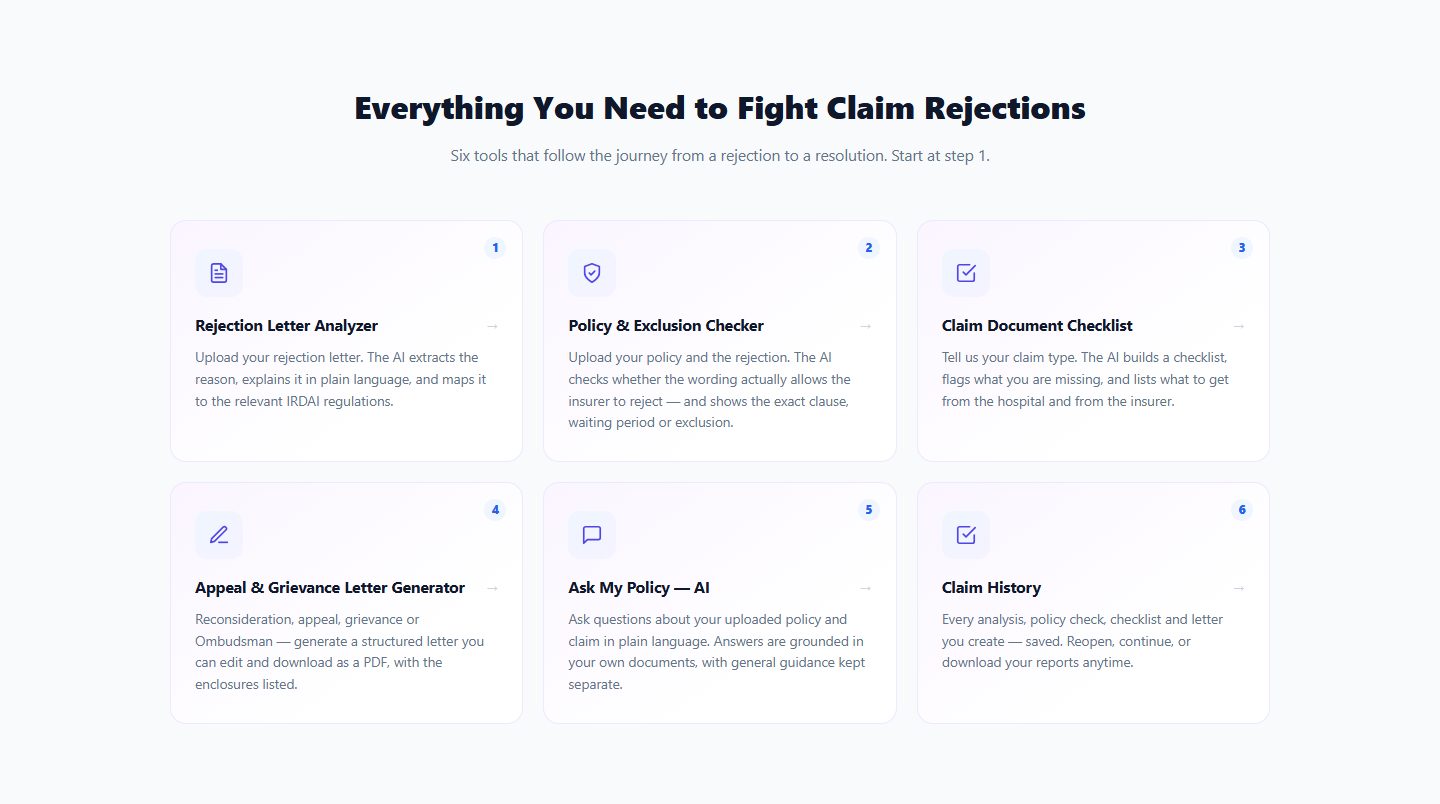
An explanation alone doesn't get a claim reconsidered. The product follows the user's actual journey: analyze the letter, check the policy, close document gaps with a checklist, generate the right letter for the current stage (reconsideration, appeal, grievance or Ombudsman complaint), ask follow-up questions, and keep everything in a history.
Two small details made letters more usable. Fields the user leaves blank stay as clearly marked placeholders rather than being invented, and enclosures are listed automatically from what the user says they have. For people who only need a letter, a free guided builder asks one question at a time and fills the letter in live — no sign-up.
8. Minimise what you keep
Rejection letters and policies contain health and personal information. Uploaded PDFs are deleted from the server as soon as their text has been extracted; the extracted text and results are stored only so users can return to their claim history, and can be deleted on request. The third-party AI services involved are listed in the product's privacy policy. Deciding this up front is far easier than retrofitting it.
- Invest in extraction and fail loudly when it doesn't work.
- Request structured output and validate it before showing it.
- Make "not found" and "unclear" legitimate answers.
- Separate what the document says from general advice.
- Build the whole workflow around the answer.
- Keep the minimum data for the shortest time.
If you're planning document AI for contracts, compliance, claims or internal knowledge, our RAG development guide covers the technical foundations — or talk to us about your documents.